
Visual Design: Why You Need To Be A Visual Designer in 2024

Hello there,
And, once again, let me welcome you to the immersive yet sublime journey of unraveling the intricacies of UX design! In our ongoing series, “Getting Started with UX Design: A Beginner’s Guide,” we’ve navigated the foundations of UX design in light of Usability, Empathy, Information Architecture, Interaction design (IxD), laying the groundwork for crafting seamless user experiences. Now, let’s set our compass on the exciting field of Visual Design, where pixels dance with purpose and every hue tells a story. Prepare to dive deep into the aesthetics that breathe life into user interfaces as we explore the art and science behind creating visually compelling experiences. From establishing brand identities to ensuring a harmonious color palette, join us as we unravel the secrets of Visual Design in UX, unlocking the next chapter of design mastery. Get ready to bring your digital creations to life!
Introduction
User Experience (UX) Design is a multidisciplinary field that encompasses various aspects, and visual design plays a significant role within UX. Visual design is a critical aspect of the broader field of design, encompassing the creation and arrangement of visual elements to communicate a message or evoke a certain response. Visual designers focus on how a product or technology looks. They are often responsible for designing logos, illustrations, and icons, as well as deciding on font color, size, and placement. Visual designers focus on the layout of each page or screen and make all the design elements fit together in a visually appealing way.
The role of a visual designer is to answer questions like: What kind of visual style should icons have, in order to fit the product’s branding? Or, which color and font should we use for this button? The goal of a visual designer is to delight users with designs that inspire, engage, and excite them. Whether you’re designing a website, a poster, a logo, or any other visual communication, understanding visual design principles is essential. Here’s a comprehensive guide to get you started:
Core Visual Design Principles in UX
As a beginner getting started in Visual design, these are the few Core Principles you should be careful to look out for and observe:
- Creating BalanceBalance in visual design is about distributing visual elements evenly to achieve equilibrium. Application of balance involves balancing text with images, or large elements with smaller ones, creates a visually pleasing and harmonious layout. Balance provides a sense of stability and prevents the design from feeling lopsided or overwhelming.
- ConsistencyThis involves maintaining uniformity in design elements throughout the interface. Visual elements should be consistent across the interface to provide a unified and predictable experience. They include the consistent use of colors, fonts, and layout across pages, which enhances predictability and aids users in navigation. Consistency establishes a sense of coherence, reduces cognitive load, and fosters a familiar and comfortable user experience.
- ClarityClear visual hierarchy and organization guide users through the interface seamlessly. This applies to clear visual hierarchy, legible typography, and unambiguous iconography contribute to a user-friendly interface. Clarity ensures that visual elements communicate their purpose clearly, prevents confusion, guides users through the content, and facilitates a smooth and intuitive user journey.
- SimplicitySimple and uncluttered visuals contribute to an intuitive and user-friendly experience. It involves streamlining visuals, minimizing distractions, and prioritizing essential information to enhance the overall user experience. Striving for simplicity in design and avoiding unnecessary complexity brings about simplified designs that are more digestible, reducing cognitive friction and making interactions more straightforward for users.
- EmphasisEmphasis deals with directing attention to key elements through size, color, or placement. This means enlarging a call-to-action button or using bold colors for important information. Emphasis draws users’ attention to critical areas, helping them focus on key interactions and information.
- ContrastContrast highlights differences to create visual interest and emphasizes differences between elements. Contrast is mostly applicable when using contrast in color, size, or shape to highlight important information or create visual interest. Proper contrasting guides user attention, adds visual variety, and makes the interface more engaging
- UnityUnity establishes a cohesive look through repetition and consistency, creating a visually unified design. It encourages a consistent use of design elements, such as color schemes and typography, throughout the interface. A good understanding of unity enhances the overall aesthetics, strengthens brand identity, and fosters a sense of completeness.
These core principles collectively form the foundation of effective visual design in UX, working in harmony to create interfaces that are not only aesthetically pleasing but also intuitive, user-friendly, and memorable.
Elements of Visual Design
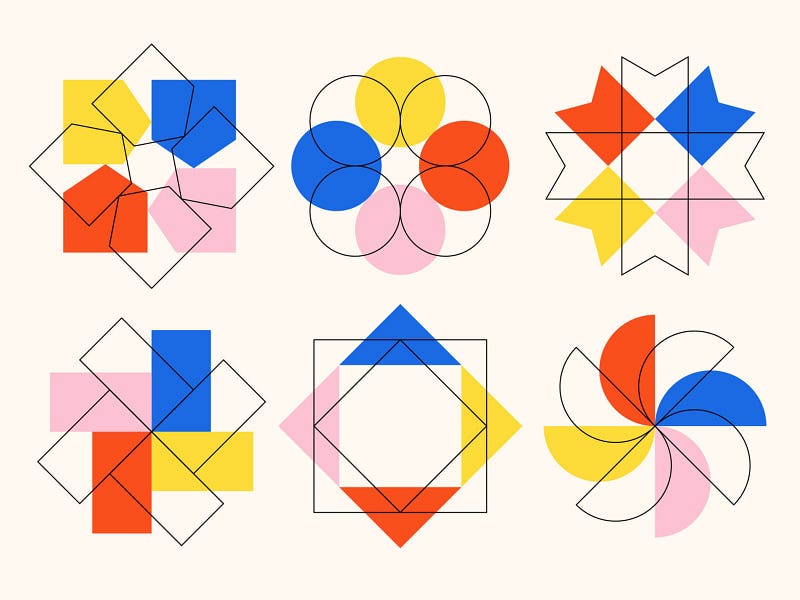
Understanding and skillfully applying these elements allow UX designers to create visually appealing and effective interfaces that enhance user engagement and satisfaction. Each element contributes to the overall visual language of a design, making it both aesthetically pleasing and functionally intuitive.
Color
Color is a powerful tool for conveying meaning and eliciting emotions. It can establish a brand identity, signify interactivity, or highlight important information. Understanding principles like the color wheel, complementary colors, and analogous colors helps designers create harmonious color schemes. Different colors evoke specific emotions and associations. For example, blue is often associated with trust and calmness, while red can signify urgency or passion.
Typography
This involves the selection and arrangement of fonts to enhance readability and convey the brand’s personality. It influences the visual hierarchy of information. Different fonts communicate different tones. Serif fonts may convey tradition and formality, while sans-serif fonts are often associated with modernity and simplicity. Varied font sizes, weights, and styles create a clear hierarchy, guiding users through the content in a logical order.
Layout
Layout involves the arrangement of visual elements on a page or screen. Grid systems provide structure and alignment, aiding in the consistent placement of elements. Proper use of whitespace contributes to a clean and organized layout.
Hierarchy
Establishing a visual hierarchy helps users understand the relative importance of different elements. Larger, bolder, or more colorful elements often attract more attention, contributing to a clear hierarchy.
Space
Space, both positive and negative, is crucial for creating a balanced and organized layout. Positive space is the area occupied by design elements. Negative space (whitespace), on the other end, is the empty space around and between elements, which helps prevent visual clutter and allows for better focus.
Lines
Lines guide the user’s eye, create structure, and separate or connect elements. Straight, curved, horizontal, or vertical lines convey different feelings and energies. For example, curved lines might evoke a sense of fluidity or comfort.
Texture
Texture adds a tactile quality to visuals, even in digital interfaces. It can create depth and visual interest. Texture is often used in backgrounds, images, or iconography to simulate real-world surfaces or materials.
Responsive Design
Responsive design ensures that the visual elements adapt gracefully to different screen sizes and resolutions. Images, layouts, and font sizes should adjust to maintain a seamless and user-friendly experience across various devices.
Application and Relevance of Visual Design in UX Design
Relative to UX design, visual design serves as a crucial element, shaping the way users perceive and interact with a product. It goes beyond aesthetics, influencing the overall user experience and contributing to the success of a digital product. Embracing visual design principles within the context of UX ensures that your designs not only look good but also function intuitively, creating a positive and memorable experience for users. Examples of few of these areas include:
Aesthetic Appeal: Visual design enhances the aesthetic appeal of a product, making it visually engaging and pleasant for users.
Brand Identity: Visual elements contribute to establishing and reinforcing a brand’s identity within the overall user experience.
Emotional Connection: Well-designed visuals can evoke emotions, creating a more memorable and meaningful user experience.
Layout: Visual design determines the layout of elements on the interface, ensuring a logical and user-centric arrangement.
Typography and Readability: Choosing appropriate fonts and ensuring readability are vital aspects of visual design within UI.
Color and Contrast: Colors are used strategically to convey information, establish hierarchy, and create a visually harmonious experience.
Visual Feedback: Visual elements play a role in providing feedback to users, indicating the status of actions or the outcome of interactions.
Wireframing and Prototyping: Visual design is crucial in the early stages of UX design, where wireframes and prototypes visually represent the structure and flow of the product.
Accessibility: Visual design should consider accessibility principles to ensure that the product is usable by people with diverse abilities.
User-Centered Approach: Visual design decisions should align with user needs and behaviors, contributing to a user-centered design approach.
Why You Should Learn Visual Design in 2024
Digital Presence: With an increasing reliance on digital platforms, businesses and individuals need visually appealing content to stand out.
Communication: Visuals often convey messages more quickly and effectively than text alone. With a proper visual representation, a lot can be easily conveyed than lines of text.
Career Opportunities: Many industries seek professionals with visual design skills, including marketing, web development, and advertising. Most of these are high paying skills and require a certain level of creativity.
Creativity and Problem-Solving: Visual design fosters creative thinking and problem-solving skills.
Self Expression: Visual design, like many other creative skills, offers people the platform to express their creativity. Develop a skill set that allows you to express your ideas and concepts visually.
Tips to Stay Relevant as a Visual Designer
Continuous learning: As the popular saying goes, “learning never ends.” To remain relevant and competitive in any creative field, you need to stay updated with design trends, tools, and technologies to create modern and relevant work. Familiarize yourself with Adobe Creative Suite software like Photoshop, Illustrator, and InDesign, as well as other tools like Sketch, Figma, etc.
Practice a user-centered kind of UX design: Learn how to design with the end user in mind, focusing on usability and accessibility.
Responsive design: Visual design must consider responsiveness for various devices, ensuring a seamless experience across different screen sizes and resolutions.
Frequently consult relevant resources: To encourage continuous learning, ensure to frequently check out online courses (like Coursera, Udemy, Aptlearn) and design blogs and forums for inspiration and knowledge sharing.
Join relevant communities and socialize: Make effective use of social media, especially Twitter (X) and LinkedIn. Most learning platforms, like Coursera, have learning communities to foster growth and ease of peer-to-peer learning. Join these communities and ensure to frequently participate; post your works on the platforms for free criticism. Never underestimate the power of social media and frequently posting your designs. Most designers got their first paid roles and gigs from social media.
Conclusion
In 2024, visual design remains a crucial skill in the digital age, shaping the way users perceive and interact with a product and offering a gateway to creative expression and numerous career opportunities. Learning visual design will not only empower you to communicate effectively but also enable you to contribute to the visual landscape of our increasingly digital world. It goes beyond aesthetics, influencing the overall user experience and contributing to the success of a digital product. Embracing visual design principles within the context of UX ensures that your designs not only look good but also function intuitively, creating a positive and memorable experience for users. So, as the year is just setting off, feel free to dive in, practice consistently, and enjoy the journey of creating visually stunning and impactful designs!
Reference
After learning, it is only as pertinent that you start earning. In our next episode, we will walk you through, step by step, all you need to do to monetize your design or digital skills in 2024. Stay tuned, and let’s talk about money together.
See our previous article, A beginner’s guide to interaction design: all you need to know.
Join the community. Follow The UX Times Magazine on all platforms:
Twitter | LinkedIn | Facebook | Blog
Written and edited by Crusoe Okwong


Comments
Post a Comment
Please, leave us a message. We respond as soon as possible